Skip to content


Case116
Ergonomic Laptop Stand with 360° rotating : Boost Posture & Productivity
Ergonomic Laptop Stand with 360° rotating : Boost Posture & Productivity
Couldn't load pickup availability
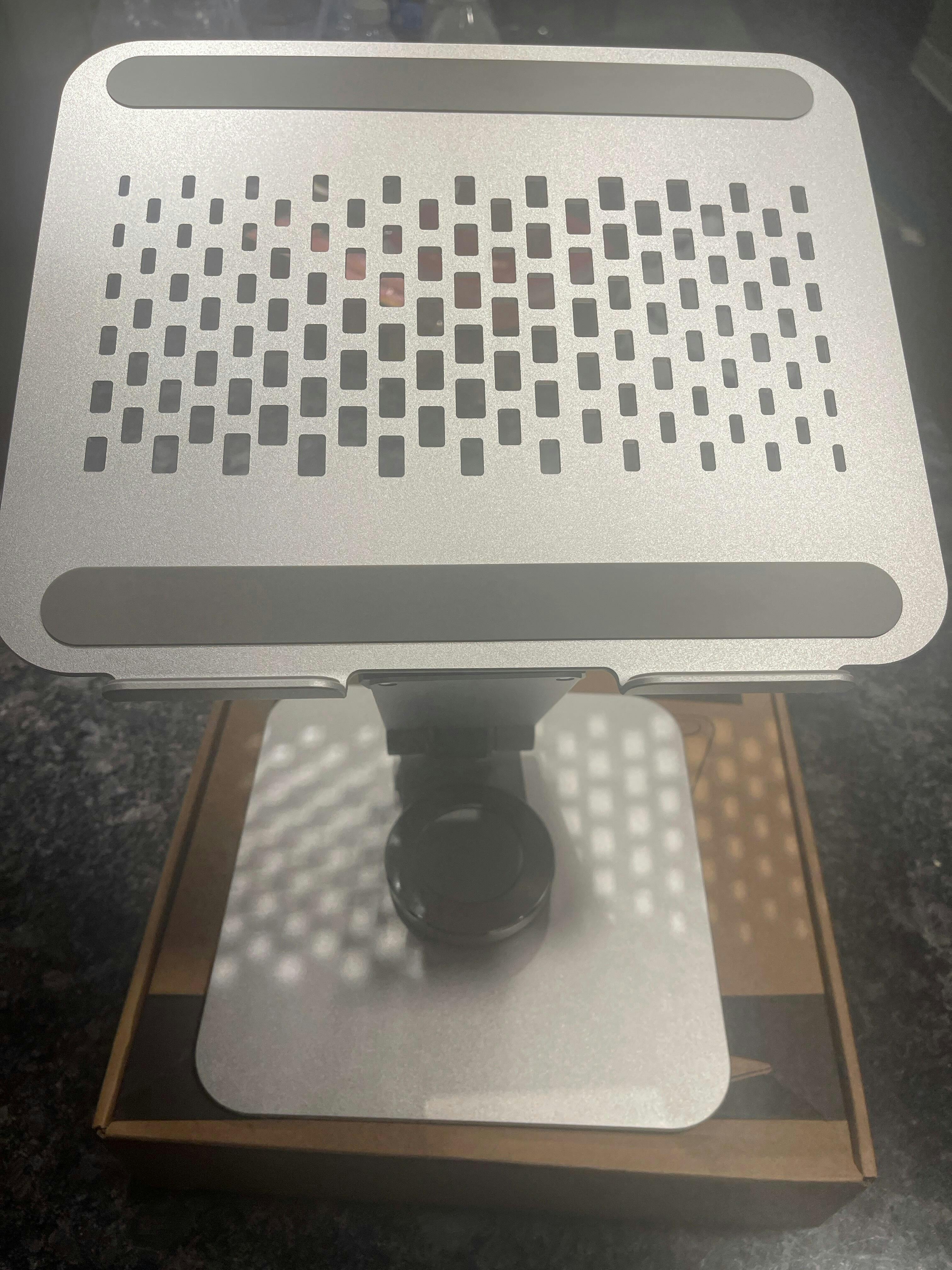
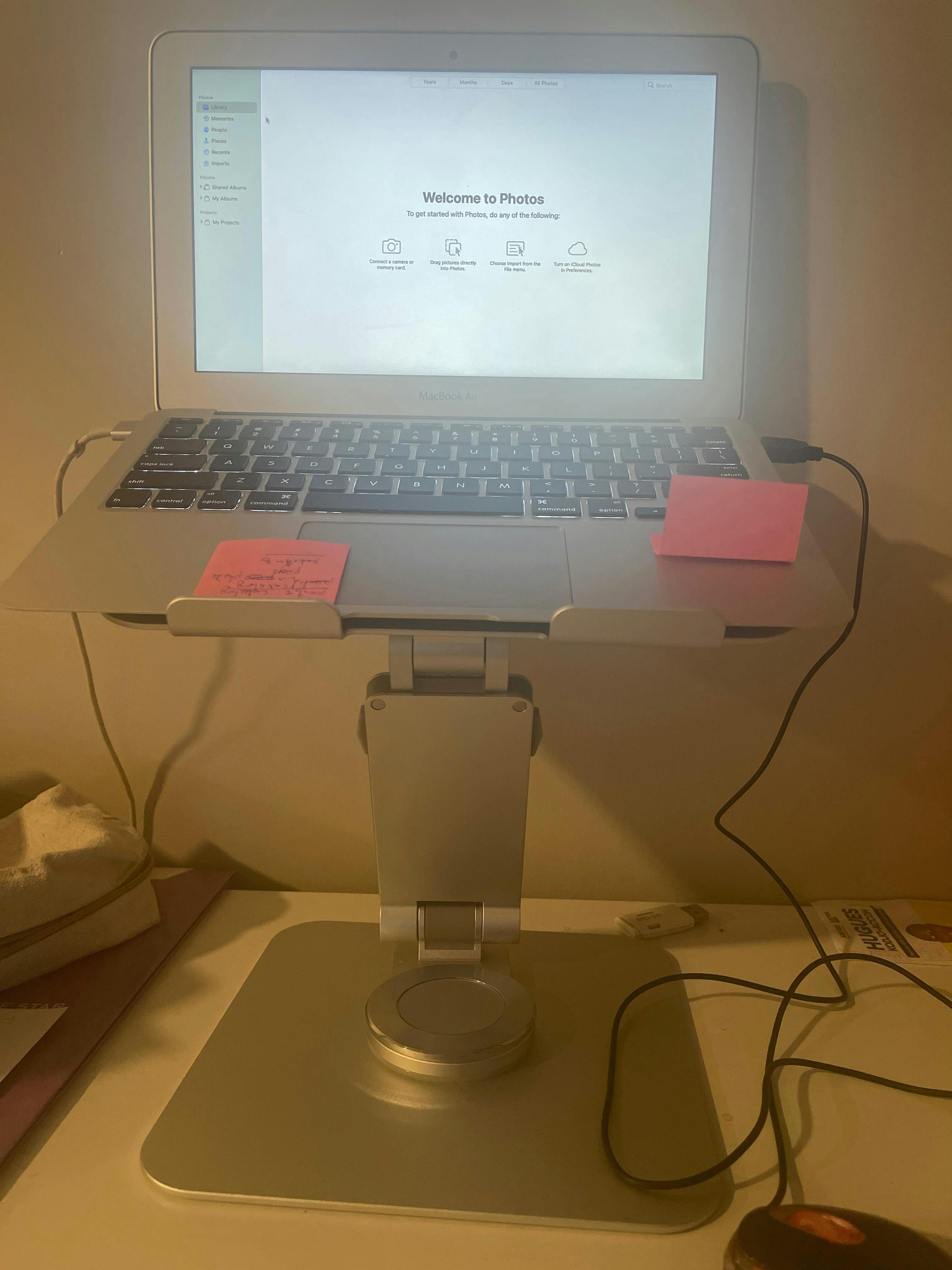
Laptop Stand – 360° Rotating Ergonomic Desk Stand
Problem:
Long hours on a laptop often lead to neck pain, poor posture, cluttered desks, and limited screen flexibility. Fixed laptop positions force you to adapt to your setup instead of the other way around reducing comfort, focus, and productivity.
Solution:
The 360° Rotating Ergonomic Laptop Stand is designed to adapt to you. Its full rotation allows effortless screen sharing and perfect viewing angles, while the elevated ergonomic design helps align your posture and reduce strain on your neck, shoulders, and back.
Frequently Asked Questions
1. Does a 360° rotating laptop stand actually help with posture?
Yes, a 360° rotating laptop stand can significantly improve posture during long work sessions. By elevating your laptop screen closer to eye level, it helps reduce neck strain, rounded shoulders, and upper back tension caused by constantly looking downward.
The rotating base also makes it easier to adjust your viewing angle throughout the day instead of staying locked in one position. Many remote workers, students, designers, and office professionals in the USA use ergonomic laptop stands to create a more comfortable desk setup that supports healthier posture and better focus.
2. Is this laptop stand compatible with MacBook and Windows laptops?
Yes, the CASE116 ergonomic laptop stand is designed to support both MacBook and Windows laptops. It works well with popular devices including MacBook Air, MacBook Pro, Dell XPS, HP Spectre, Lenovo ThinkPad, ASUS Zenbook, Acer laptops, and many other notebook models.
The universal design makes it a practical choice for mixed-device households, office environments, and hybrid workspaces. Whether you use macOS or Windows, the stand provides stable support, better airflow, and flexible screen positioning for everyday productivity.
3. How does the 360° rotating feature improve productivity?
The 360° rotating base adds flexibility that standard laptop stands usually don’t offer. It allows you to quickly rotate your screen for collaboration, presentations, video calls, or shared workspace discussions without lifting or repositioning the entire stand.
For people working from home, in offices, or creative studios, this feature helps streamline multitasking and desk organization. It’s especially useful for content creators, developers, students, and business professionals who frequently switch between solo work and screen sharing.
4. Can this ergonomic laptop stand help reduce neck and shoulder pain?
Yes, ergonomic laptop stands are commonly used to reduce neck, shoulder, and upper back discomfort caused by poor screen positioning. Raising the laptop to a more natural viewing height helps align your spine and encourages a healthier sitting posture.
Instead of hunching over your desk for hours, the elevated design supports a more comfortable workstation setup. Many USA users pair ergonomic laptop stands with wireless keyboards and mice to create a cleaner and more ergonomic desk environment for work or study.
5. Is the stand stable enough for heavy laptops?
Yes, the CASE116 rotating laptop stand is built for stability and everyday use. Its sturdy construction helps support both lightweight ultrabooks and heavier laptops without excessive wobbling during typing or movement.
The anti-slip design also helps keep your device secure while protecting your desk surface from scratches. Whether you’re using a MacBook Pro, gaming laptop, or larger business laptop, the stand is designed to stay balanced during daily work sessions, Zoom meetings, and multitasking setups.
6. Does the elevated design help keep laptops cooler?
Yes, elevating the laptop improves airflow underneath the device, which can help reduce heat buildup during extended use. Better ventilation is especially useful for video editing, programming, streaming, gaming, and multitasking workloads that push laptop performance.
Unlike placing a laptop flat on a desk, an ergonomic stand allows heat to dissipate more efficiently. Many users notice improved comfort during long work sessions because the laptop stays cooler and the workspace feels less cluttered.
7. Is this laptop stand good for remote work and home office setups?
Absolutely. This ergonomic rotating laptop stand is ideal for remote work, home offices, hybrid workstations, and study desks. It helps create a cleaner and more professional desk setup while improving viewing comfort throughout the day.
The rotating functionality is especially helpful during virtual meetings, collaborative projects, or shared desks. For USA professionals working long hours from home, ergonomic desk accessories like laptop stands have become essential for comfort, productivity, and workspace organization.
8. Can I use this stand for video calls and online meetings?
Yes, the elevated viewing angle makes video calls feel more natural and professional. Raising the laptop camera closer to eye level improves face positioning during Zoom meetings, Google Meet calls, Microsoft Teams sessions, and online presentations.
The 360° rotating base also makes it easier to quickly reposition your screen when collaborating with coworkers or clients. This makes the stand a practical addition for professionals, teachers, students, and remote teams using laptops daily.
9. Does a rotating laptop stand help save desk space?
Yes, an ergonomic laptop stand can help create a more organized and efficient workspace. Elevating the laptop frees up usable desk space underneath the stand for accessories like keyboards, notebooks, chargers, or office essentials.
The rotating design also reduces the need to constantly reposition your setup, making smaller desks feel more functional. Many USA users choose minimalist desk accessories specifically to reduce clutter and improve workflow in compact home office environments.
10. Is this laptop stand suitable for everyday use?
Yes, the CASE116 360° rotating laptop stand is designed for daily use across work, school, creative projects, and entertainment. Its ergonomic design supports long hours of productivity while helping improve comfort and desk organization.
Whether you’re working remotely, studying online, editing content, attending meetings, or simply browsing at home, the stand adapts easily to different environments. The combination of flexibility, stability, and ergonomic support makes it a reliable everyday desk accessory.
Upgrade your workspace with ergonomic comfort, smooth 360° flexibility, and a cleaner desk setup built for modern productivity.
Choose the CASE116 Ergonomic Laptop Stand and work smarter, feel better, and stay comfortable every day.